Table of contents
Six Game account security comes down to a few habits and one menu: Security Center in the Profile tab. This guide explains strong passwords, Code login, Google binding, Remember account password and what to do if you think someone else has accessed your account.
Where Six Game Account Security Settings Are
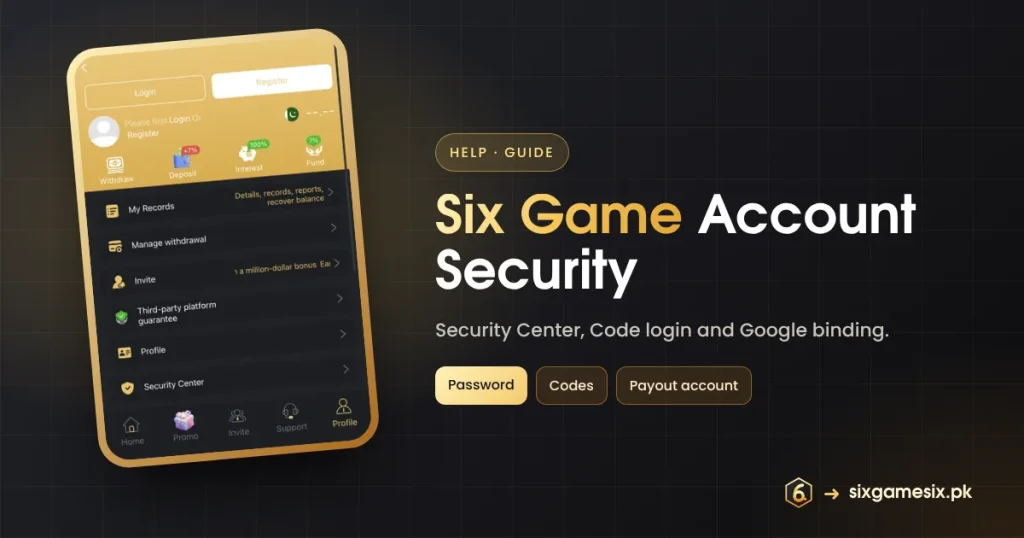
Open Profile. Below the gold card with Withdraw, Deposit, Interest and Fund are My Records, Manage withdrawal, Invite, Third-party platform guarantee, Profile and, at the bottom, Security Center with a shield icon. Security Center is where you manage password and verification options. Manage withdrawal controls where money can be sent, so it matters for security too.
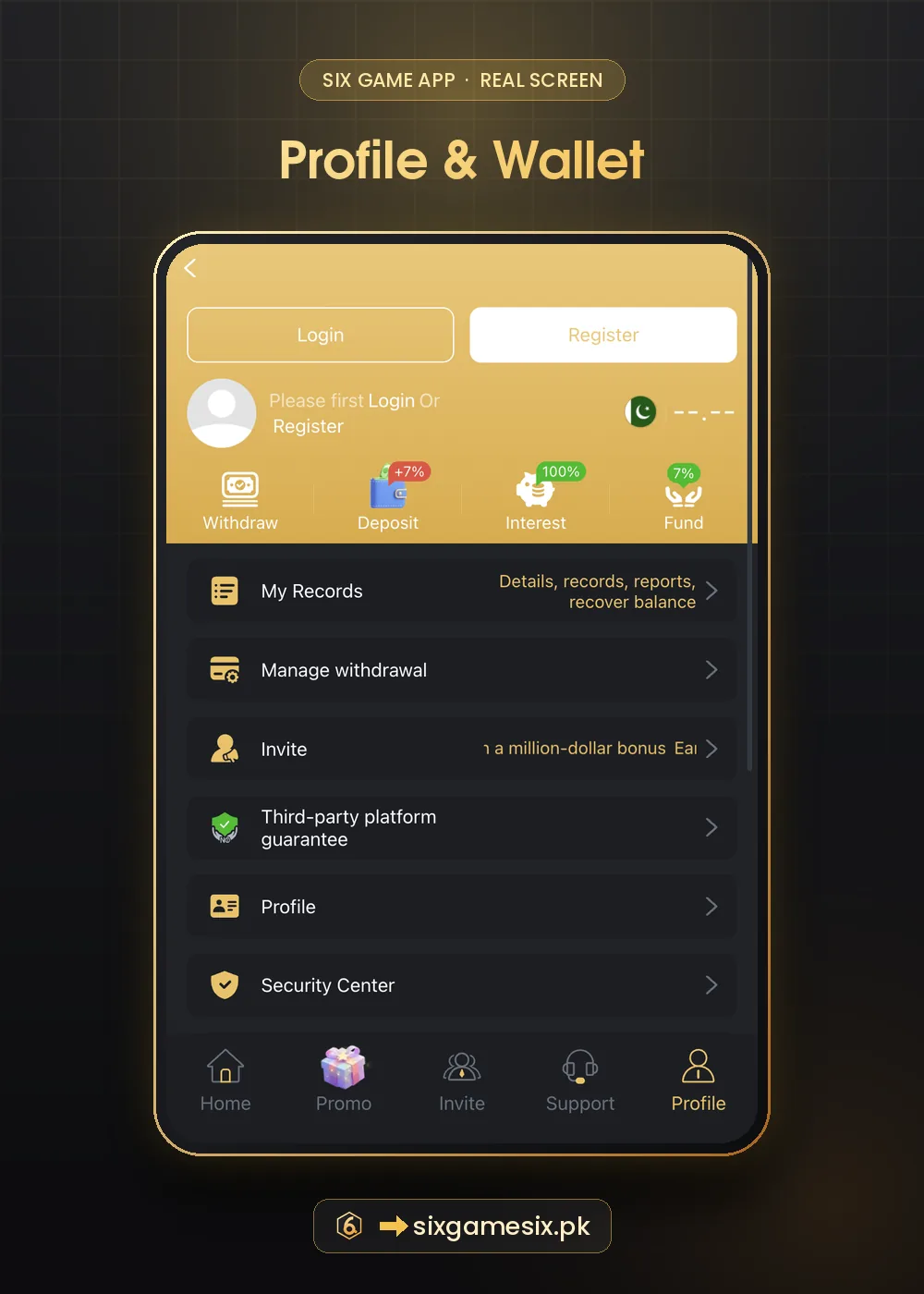
Six Game Account Security Checklist
- A password of 10+ characters that you use nowhere else.
- Your own phone number, so codes and resets reach you.
- Remember account password ticked only on your own phone.
- Payout account in Manage withdrawal checked and correct.
- Codes from Code login kept private.
Password and Code Login
The Register screen shows a four-bar Strength meter. Fill all four bars: mix upper and lower case, numbers and a symbol, or use a short phrase. Code login sends a one-time code to your phone, which is handy if you forget the password but means your SIM is part of your security. If your number changes, update it in the app before the old SIM is gone.
Google Binding
Register and Login both offer Google: “Binding registration” and “Quick login”. If you use it, your Six Game account is only as safe as your Google account. Turn on 2-Step Verification in Google and review which apps are connected on the Google account help page.
Signs Your Six Game Account May Be at Risk
| Sign | Action |
|---|---|
| Login code you did not request | Do not share it; change your password |
| Unknown withdrawal or payout account | Change password, check Manage withdrawal, contact support |
| Logged out unexpectedly | Log in and change your password |
| Messages from “support” asking for codes | Ignore and report in the app |
If Someone Else Accessed Your Account
- Change your password at once from Security Center or Forgot Password.
- Check Manage withdrawal for unknown accounts and remove them.
- Review My Records for deposits or withdrawals you did not make.
- Contact Customer Service with screenshots.
- If money left your bank, contact your bank immediately.
Never install “Six Game helper” apps or screen-sharing tools that someone asks you to install. They can read your codes.
Third-Party Platform Guarantee
The Profile menu also has a “Third-party platform guarantee” page. Read it to understand what the platform says it guarantees, but remember that your own habits are the strongest protection. See our official website guide for avoiding fake pages and the login guide for sign-in tips.
Six Game Account Security in Five Minutes
Set aside five minutes today. Open Profile → Security Center and check every item. Change the password if it is short or used elsewhere. Open Manage withdrawal and confirm the payout account is yours and correct. Make sure Remember account password is ticked only on your own phone. If you use Google quick login, turn on 2-Step Verification in Google. Finally, save the official link as a bookmark so you never reach Six Game from a random chat link. These five steps block most of the ways players lose accounts.
- Review Security Center.
- Strengthen the password.
- Check Manage withdrawal.
- Remember password only on your phone.
- Bookmark the official link.
To check a suspicious link before opening it, use Google Safe Browsing.
Six Game account security also means thinking about the people around you. Do not let friends play on your account, do not share screenshots that show your phone number or invite code, and blur personal details before posting anything about the app online. Good Six Game account security habits protect both your money and your identity.
Our Verdict
Six Game account security is mostly in your hands: a unique strong password, private codes, a correct payout account and a quick check of Security Center. Act fast if anything looks wrong.
Related Six Game Guides
Six Game Account Security FAQ
Where is Six Game Security Center?
At the bottom of the Profile menu.
Is Code login safe?
Yes, as long as you never share the code.
Should I use Remember account password?
Only on your own phone.
What if I lose my SIM?
Contact support and update your number before using Forgot Password.